

故障排除
安装
Docker:权限被拒绝错误
上述错误信息表明在尝试访问 Docker 守护进程套接字时出现权限问题。当以非 root 用户身份运行 Docker 命令时,这是一个常见问题。要将您的用户添加到 docker 用户组,请使用以下命令:
源码:conda 命令未找到
请确保已安装 Anaconda、Miniconda 或 Miniforge(适用于 arm64 系统)。如果刚刚安装,请重启终端以刷新命令行环境。
源码:./install: 第 40 行 ... 已终止
此错误通常出现在安装过程中,特别是在 2GB RAM 或更低内存的系统上。请将系统内存至少增加到 4GB,或在无法升级硬件的情况下考虑添加交换文件。源码:找不到 conda 环境:hummingbot

此问题与上述问题相关。检查运行 ./install 脚本后是否有任何错误。如果有,请先解决这些错误,否则创建 hummingbot conda 环境将会失败。
源码:无法执行 gcc:没有此文件或目录
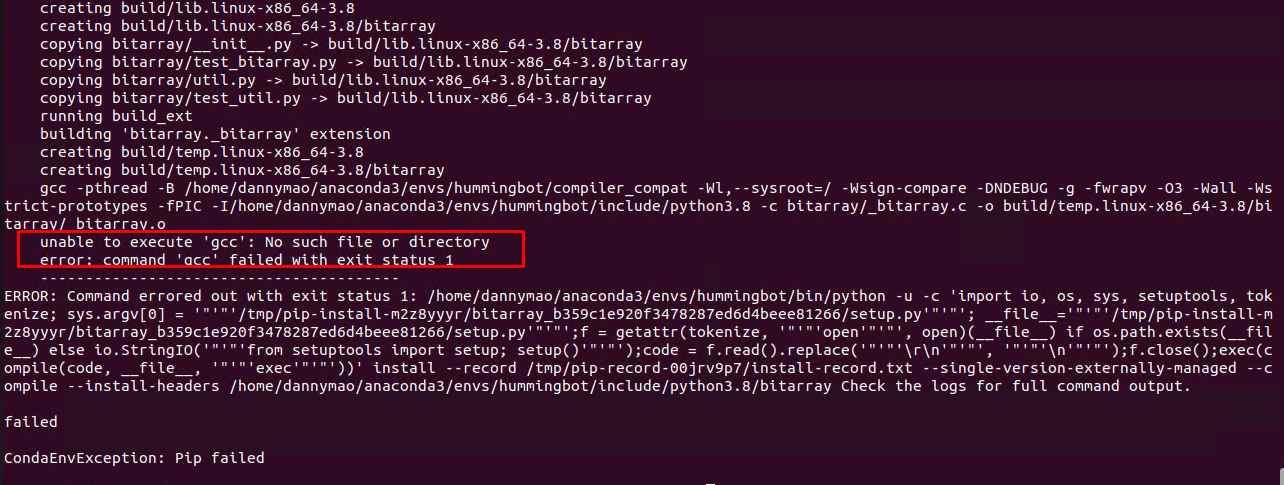
如果出现此错误,您需要安装 build-essential 软件包。运行以下命令进行安装 -
仪表板
MQTT 桥接连接失败:
00:21:16 - hummingbot_application - Failed to connect MQTT Bridge: [Errno 111] Connection refused. Retrying in 10.0 seconds. 如果出现此错误,通常意味着 Hummingbot Broker 未运行,请从“实例”页面启动 Broker,然后重新启动所有 Hummingbot 客户端实例。
Docker 未运行。请启动 Docker 并刷新页面。
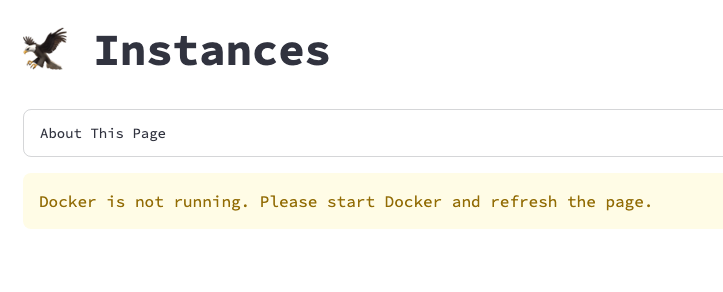
请确保已安装 Docker。在 Windows 和 MacOS 机器上,请确保 Docker Desktop 在后台运行。
No module named hummingbot
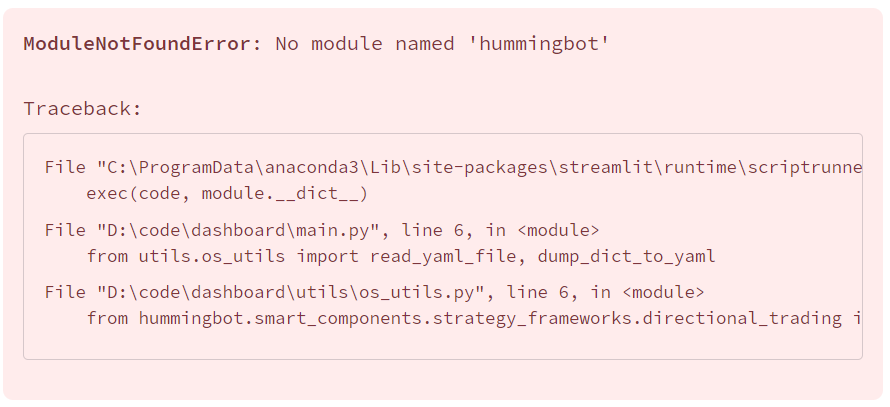
注意:缺失的模块名称可能是 st_pages 等其他名称。如果出现此提示,说明环境未正确安装。请在终端中运行以下步骤重新安装 -
仪表板中未显示认证页面
默认情况下,认证系统是禁用的。
在 CONFIG.py 文件中找到变量 AUTH_SYSTEM_ENABLED,并将其设置为 True 以启用认证页面。
V1 策略
V2 策略
AttributeError: 'hummingbot.connector.exchange.kraken.kraken_exchan' 对象没有 '_order_tracker' 属性
Traceback (最近一次调用 最后): 文件 "hummingbot/core/pubsub.pyx", 第 165 行, 在 hummingbot.core.pubsub.PubSub.c_trigger_event typed_listener.c_call(arg) 文件 "hummingbot/core/event/event_listener.pyx", 第 25 行, 在 hummingbot.core.event.event_listener.EventListener.c_call self(arg) 文件 "/home/hummingbot/hummingbot/core/event/event_forwarder.py", 第 24 行, 在 __call__ self._to_function(self.current_event_tag, self.current_event_caller, arg) 文件 "/home/hummingbot/hummingbot/smart_components/executors/position_executor/position_executor.py", 第 338 行, 在 process_order_created_event self.open_order.order = self.get_in_flight_order(self.exchange, event.order_id) 文件 "/home/hummingbot/hummingbot/smart_components/smart_component_base.py", 第 65 行, 在 get_in_flight_order order = connector._order_tracker.fetch_order(client_order_id=order_id) AttributeError: 'hummingbot.connector.exchange.kraken.kraken_exchan' 对象 没有 属性 '_order_tracker' 2023-12-02 12:56:07,012 - 15 - hummingbot.core.event.event_reporter - EVENT_LOG - {"timestamp": 1701521767.0, "type": "OrderType.LIMIT", "trading_pair": "ETH-USDT", "amount": "0.01192817", "price": "2095.87", "order_id": "buy-ETH-USDT-1701521766935688", "creation_timestamp": 1701521766.0, "exchange_order_id": null, "leverage": 1, "position": "NIL", "event_name": "BuyOrderCreatedEvent", "event_source": "kraken"} 如果在 Kraken 或其他交易所遇到此错误,是因为该交易所连接器目前不支持 PositionExecutor 关闭仓位所需的市价单。
连接器
ValueError: 不存在 'BTC-USD' 的订单簿。
2024-01-25 21:19:12,916 - 111864 - hummingbot.connector.exchange.kraken.kraken_api_user_stream_data_source - ERROR - Kraken WebSocket 连接出现意外错误。30 秒后重试... Traceback (most recent call last): 文件 "/home/martin_kou/Development/hummingbot/hummingbot/connector/exchange/kraken/kraken_api_user_stream_data_source.py", 第 100 行, 在 listen_for_user_stream self._current_auth_token = await self.get_auth_token() 文件 "/home/martin_kou/Development/hummingbot/hummingbot/connector/exchange/kraken/kraken_api_user_stream_data_source.py", 第 89 行, 在 get_auth_token return response_json["result"]["token"] KeyError: 'result' 文件 "hummingbot/connector/exchange_base.pyx", 第 158 行, 在 hummingbot.connector.exchange_base.ExchangeBase.c_get_price OrderBook order_book = self.c_get_order_book(trading_pair) 文件 "hummingbot/connector/exchange/kraken/kraken_exchange.pyx", 第 1050 行, 在 hummingbot.connector.exchange.kraken.kraken_exchange.KrakenExchange.c_get_order_book raise ValueError(f"No order book exists for '{trading_pair}'.") ValueError: No order book exists for 'BTC-USD'. 如果出现此错误,请确保在创建 API 密钥时勾选了 Access Websockets API 选项。
网关
客户端卡在 "script_strategy_base - uniswap_ethereum_mainnet is not ready. Please wait..."
您需要批准您正在交易的代币。例如,如果您在以太坊主网上交易 WETH,请参考以下命令:
注意
在批准代币时,如果出现“Token not Supported”错误,请手动在代币列表中添加代币地址。代币列表位于 ./conf/list 文件夹中
在 balance 命令中未显示代币
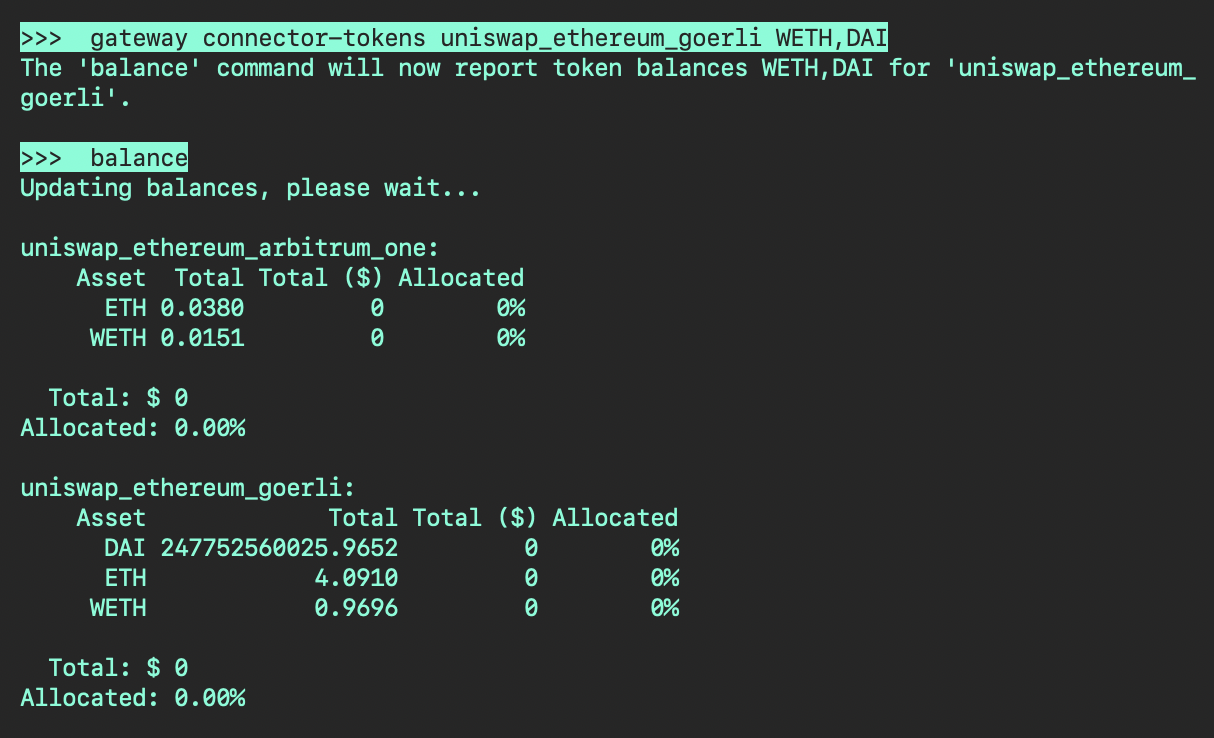
使用以下命令显示不同网络上的代币余额。
其他
无法粘贴,出现错误提示
Pyperclip 无法 为 您的 系统 找到 复制/粘贴 机制 。 更多信息 请 访问 https://pyperclip.readthedocs.io/en/latest/introduction.html#not-implemented-error 此错误是因为 CTRL + V 在 Hummingbot 中无法使用。请尝试以下任一快捷键进行粘贴。
如何退出配置
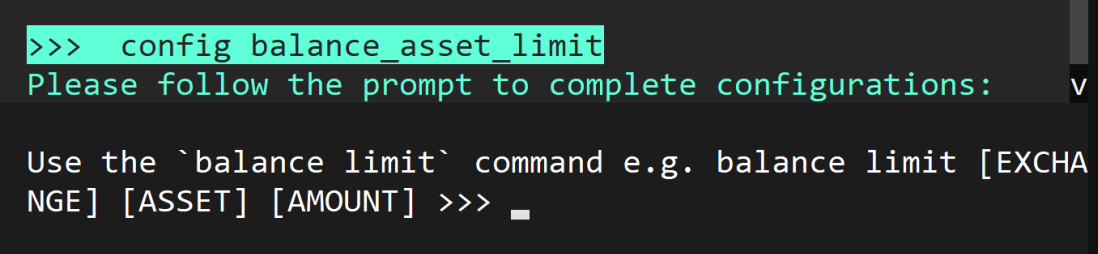
如果想取消配置,请按 CTRL + X
余额已显示,但“总计($)”未显示
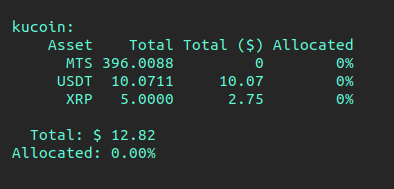
如果一个或多个代币的 总计($) 显示为 0,请使用以下命令更改您的汇率源。默认情况下,rate_oracle_source 设置为 Binance,如果该代币在 Binance 上不可用,则 总计($) 将显示为 0。